


Invoicing is one of those tasks that every service business has to deal with but nobody actually enjoys.
Writing up quotes, formatting receipts, calculating line items, getting the branding right, it all takes time that most business owners would rather spend on the actual work.
What Velocity Ticket is and Who Built It
Velocity Ticket is an early-stage SaaS product built by The Merkle, LLC, a web development and marketing team with a strong focus on technology, cryptocurrency, and artificial intelligence.
The product is designed specifically for service businesses, freelancers, contractors, agencies, trades, consultants, who need to generate professional invoices, bills, quotes, estimates, and receipts quickly without getting buried in form fields and manual data entry.
The core promise is simple and worth taking seriously: describe a job in plain language, and Velocity Ticket generates a complete, professionally formatted document in minutes. Not a rough template you still have to fill in manually. A finished draft with line items, totals, and proper formatting, ready to review and send.
That is the kind of workflow improvement that sounds almost too good to be true until you actually sit down and use it.
Getting Started Takes Few Minutes
Step 1: Visit Website/Launch App
The onboarding is deliberately frictionless. Head to the website, click Try it Free, and sign in with your Google account. That is the entire setup process.
No lengthy registration form, no credit card required to access the free tier, no tutorial you have to sit through before you can do anything useful.
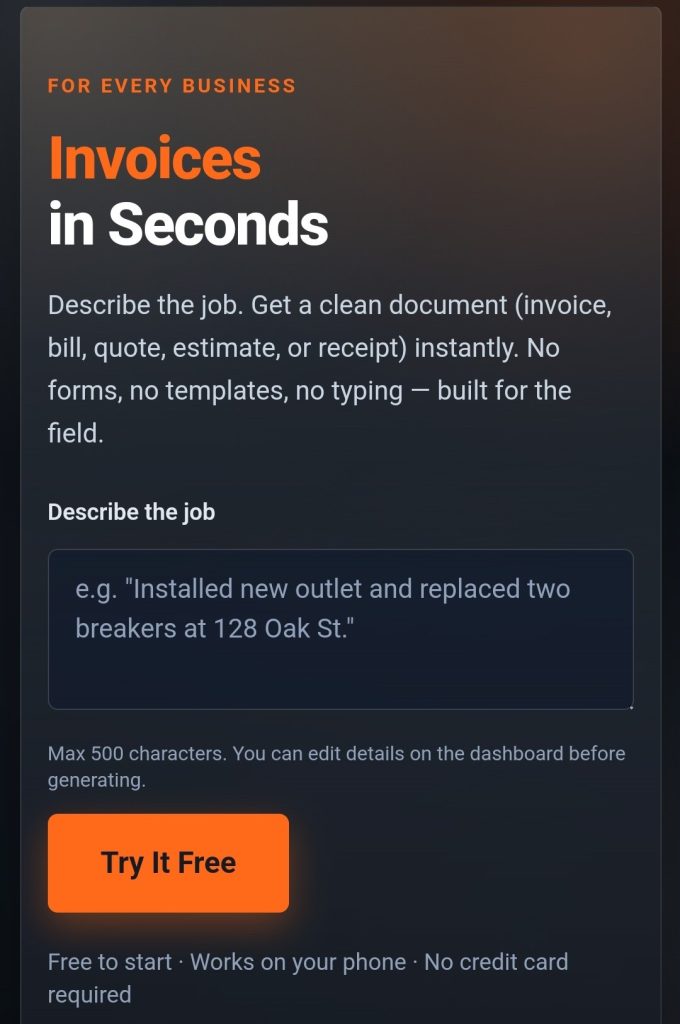
After logging in, you land on the dashboard, the central hub where everything happens. From here, clicking the Auto option reveals the full range of document types you can generate: invoices, quotes, estimates, bills, receipts, and more.
The interface is clean and straightforward, built around the idea that you should be able to describe what you need in plain language and let the tool handle the rest.
The Workflow From Description to Polished PDF
Step 2 : How To Prepare The Document
Here is how a typical document comes together in Velocity Ticket, and it is worth walking through step by step because the speed of it is genuinely impressive once you understand the flow.
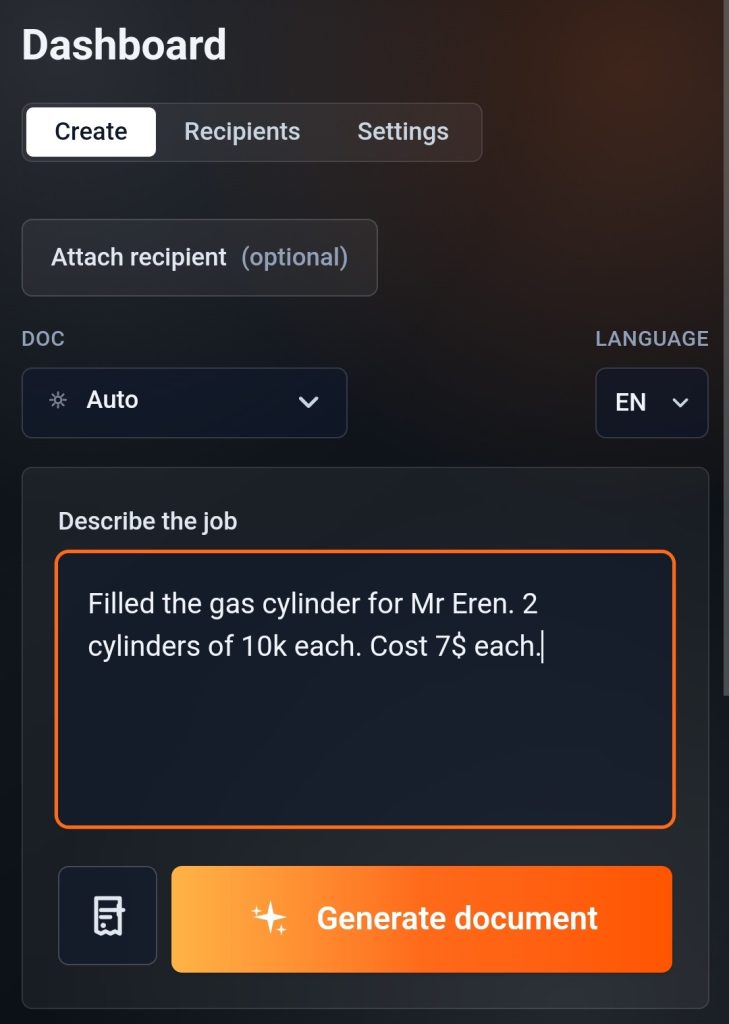
You start on the dashboard by describing the job in plain language. Think of it the way you would explain the work to a client, what was done, what materials were used, any relevant details about the customer or project.
Velocity Ticket also gives you the option to attach photos if you want visual documentation included, and you can add customer context before generating.
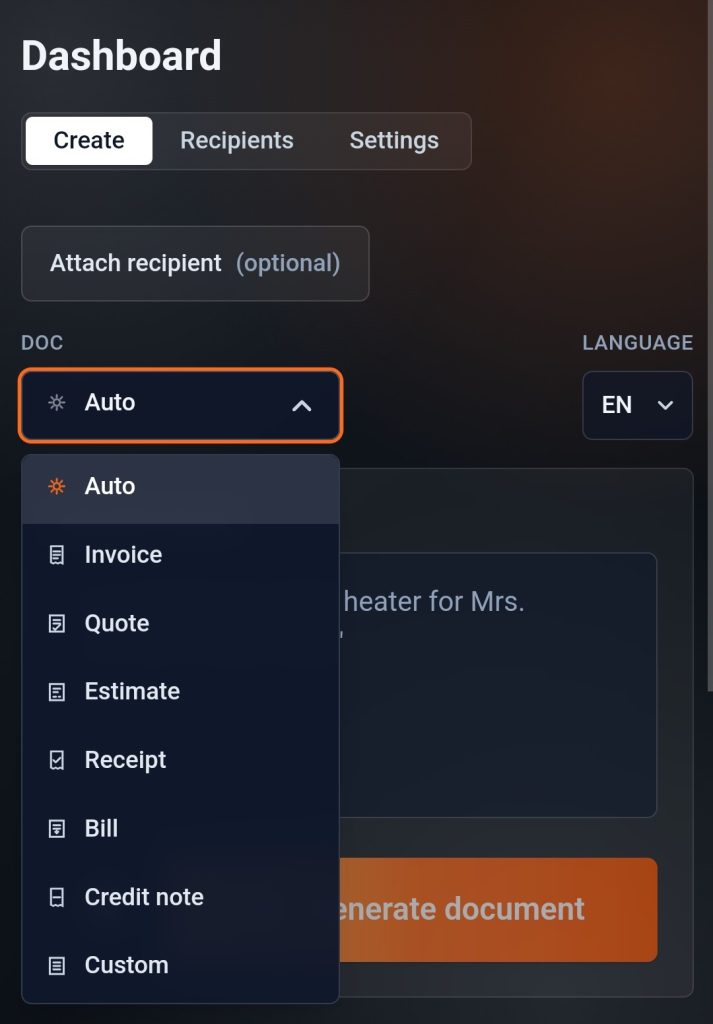
None of this requires any special formatting or specific keywords. Natural language is the input.
From that description, Velocity Ticket creates a complete document draft. Line items are generated, totals are calculated, and the whole thing comes out in professional formatting.
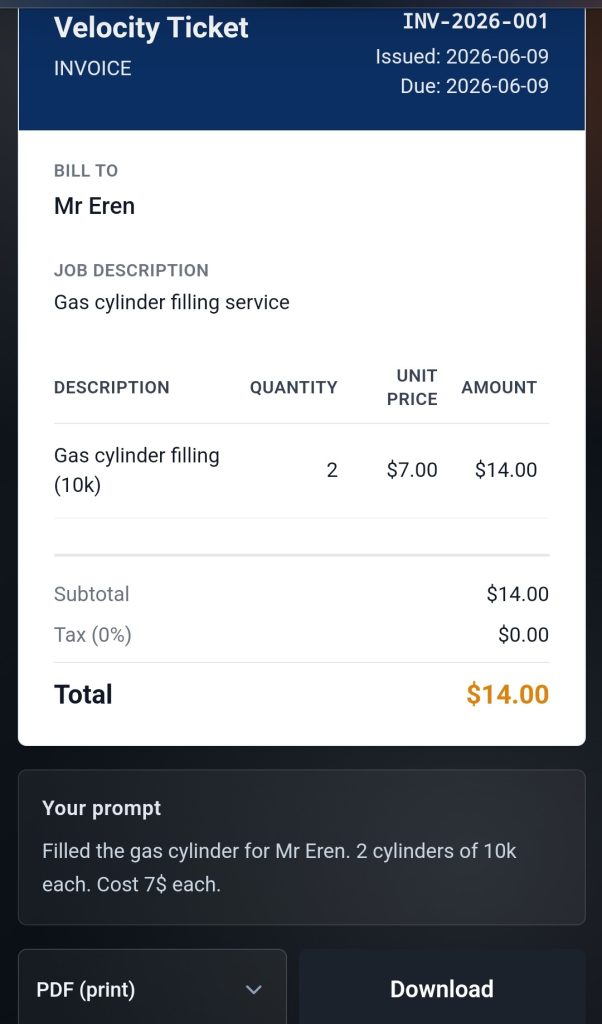
Every new document lands in the Generated status first, which is essentially a holding area that gives you a chance to review the draft before doing anything with it.
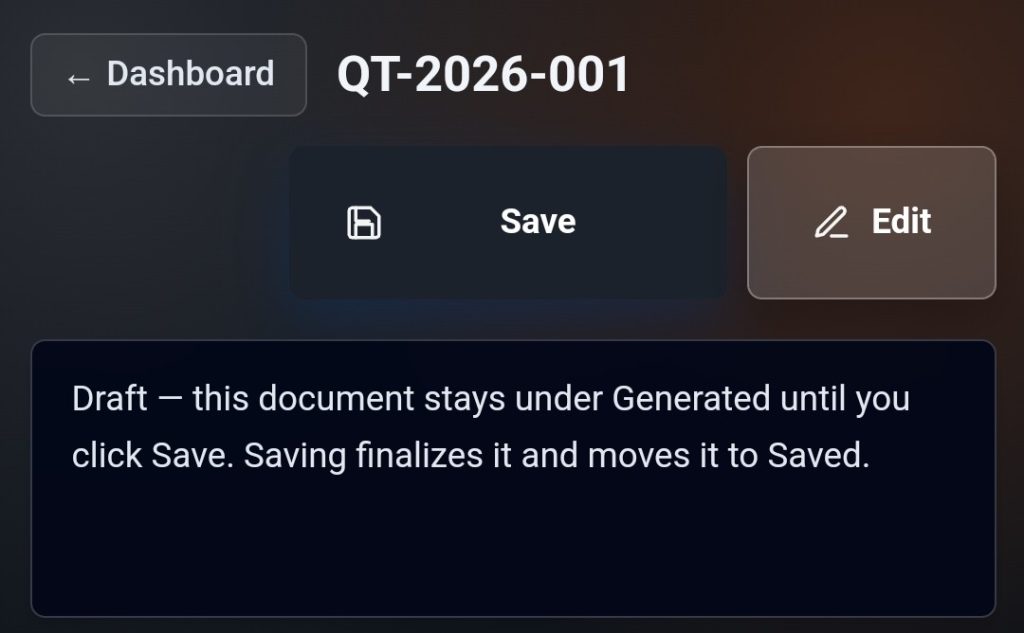
This is a smart design decision, it means the AI does the heavy lifting while you retain full control over what actually goes out to clients.
If anything needs adjusting, you have two paths. “Buddy” is the natural-language editing assistant that lets you request changes conversationally, you can tell it to adjust a line item, change the tax rate, or update the recipient details just by describing what you want.
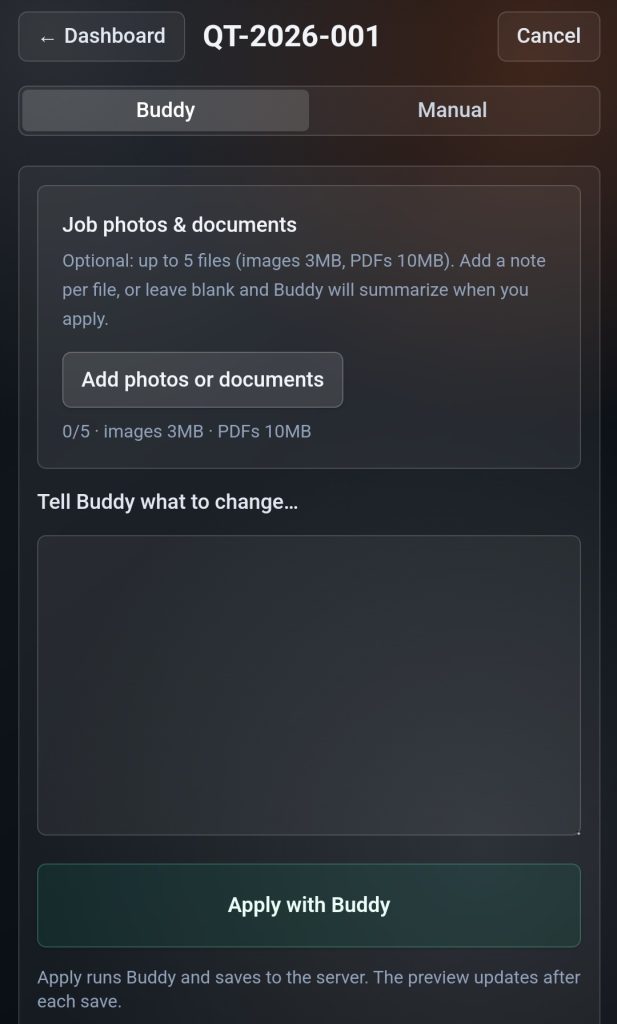
Manual editing is the alternative for anyone who prefers to go directly into the fields and make changes themselves.
Recipient details, line items, tax, notes, and branding are all editable at the field level. Both options are available from the same editor, and switching between them is seamless.
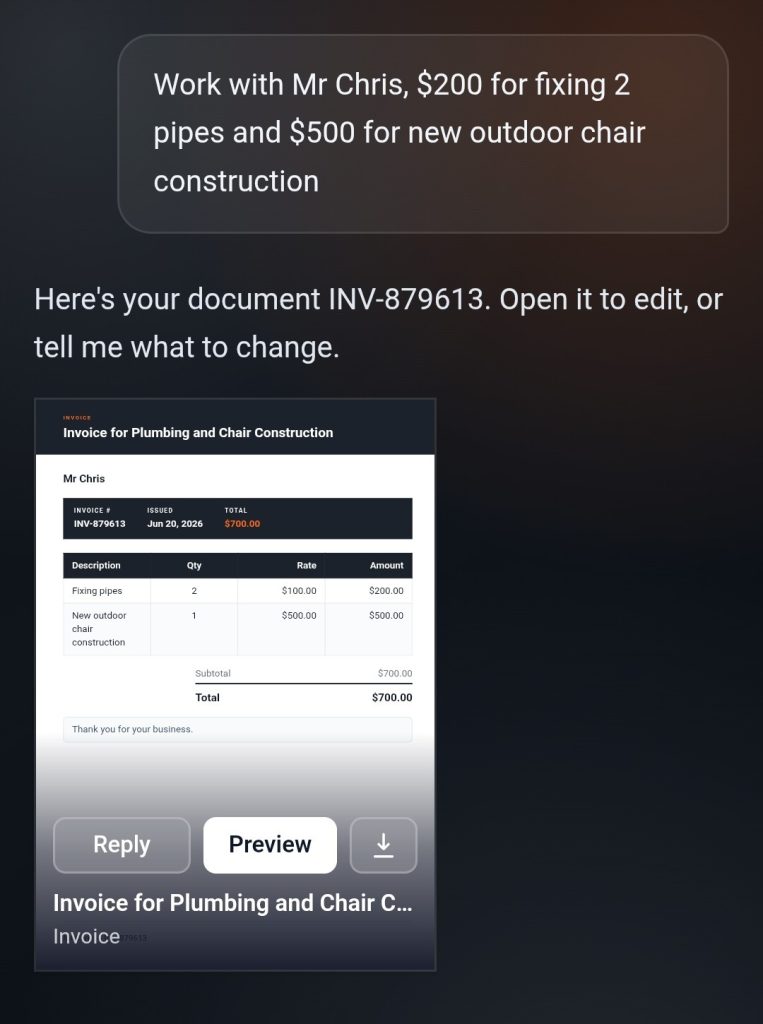
When the document looks right, you save it and download a polished PDF ready to send to the client. Saved documents stay in your dashboard, fully searchable and editable if you need to come back to them later.
Understanding Velocity Ticket Document Statuses
Velocity Ticket keeps document management clean by giving every document exactly one status at any given time. ‘Generated’ means the AI has created a draft and it is sitting in review.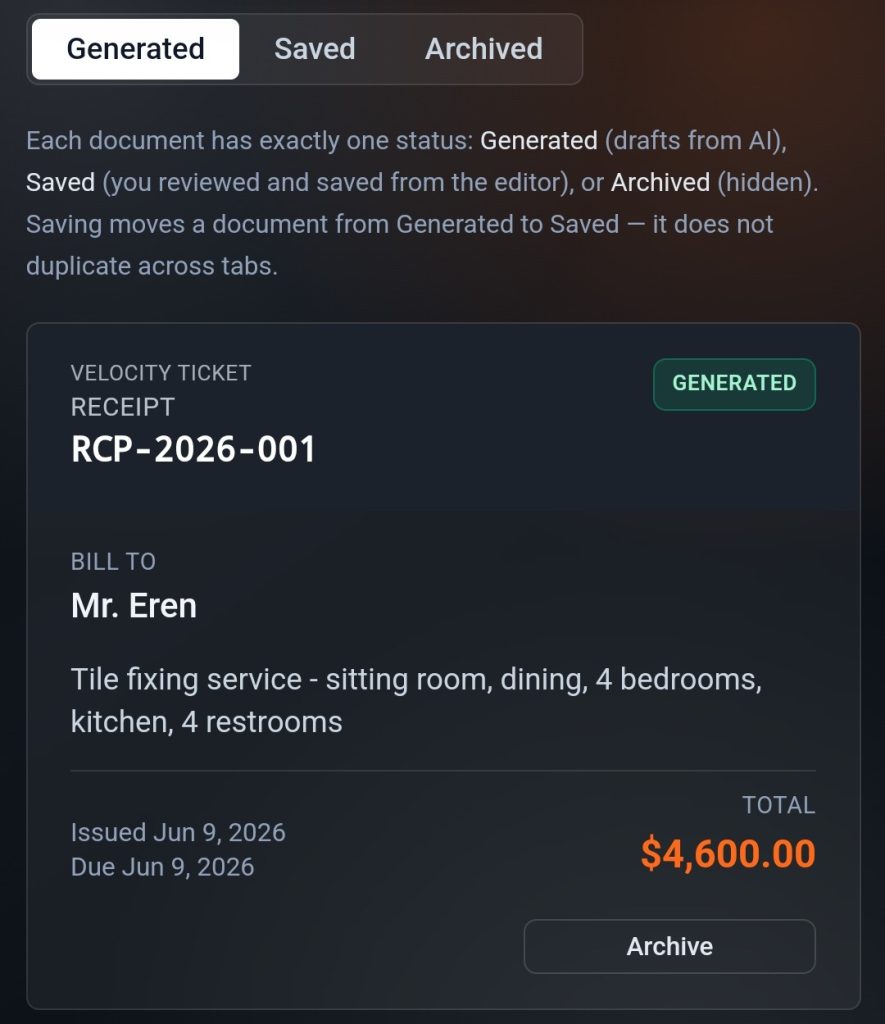
‘Saved’ means you have reviewed it, made any necessary edits, and finalised it. Archived means the document is hidden from your active view but not deleted.
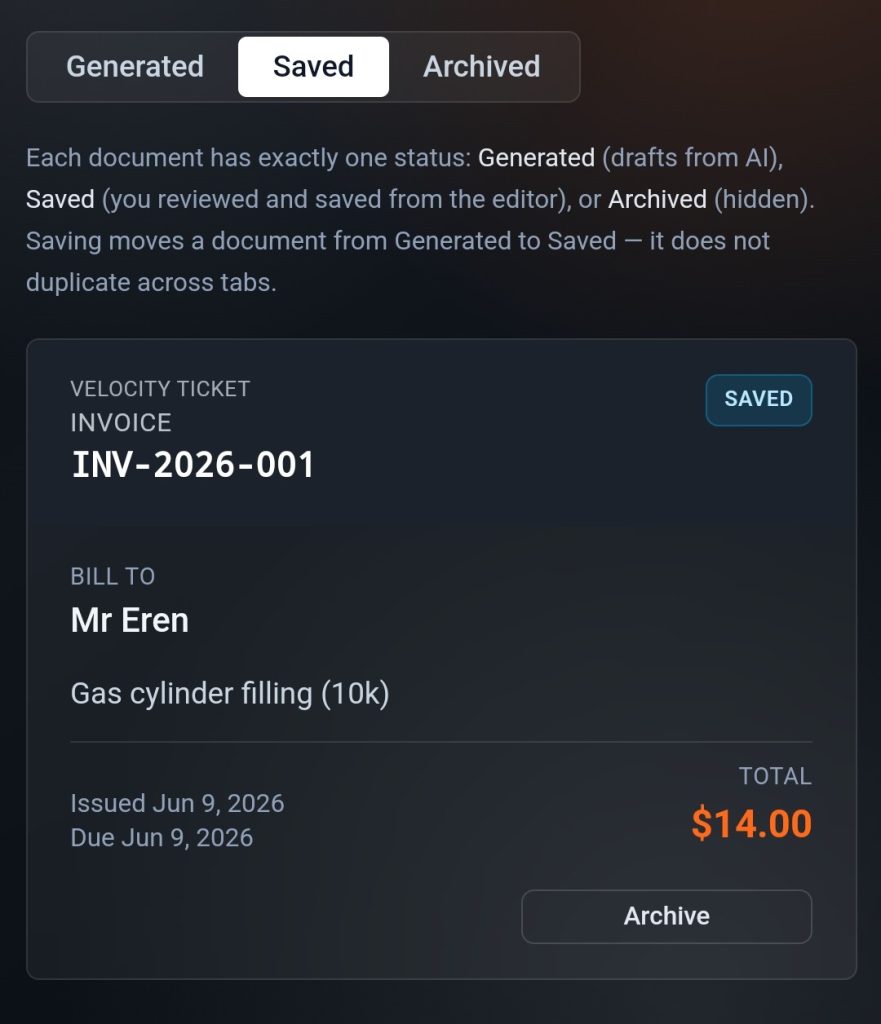
The important thing to understand is that saving a document moves it from Generated to Saved, it does not create a duplicate or copy it across tabs.
A document stays under Generated until you click Save. After that, it lives in Saved and remains editable and downloadable whenever you need it.
The status system is straightforward once you understand it, and it keeps your dashboard organised even as your document volume grows.
Pricing, The Free Tier, and What You Get Before Paying Anything
Velocity Ticket’s free tier is genuinely usable, not a watered-down preview designed to frustrate you into upgrading immediately.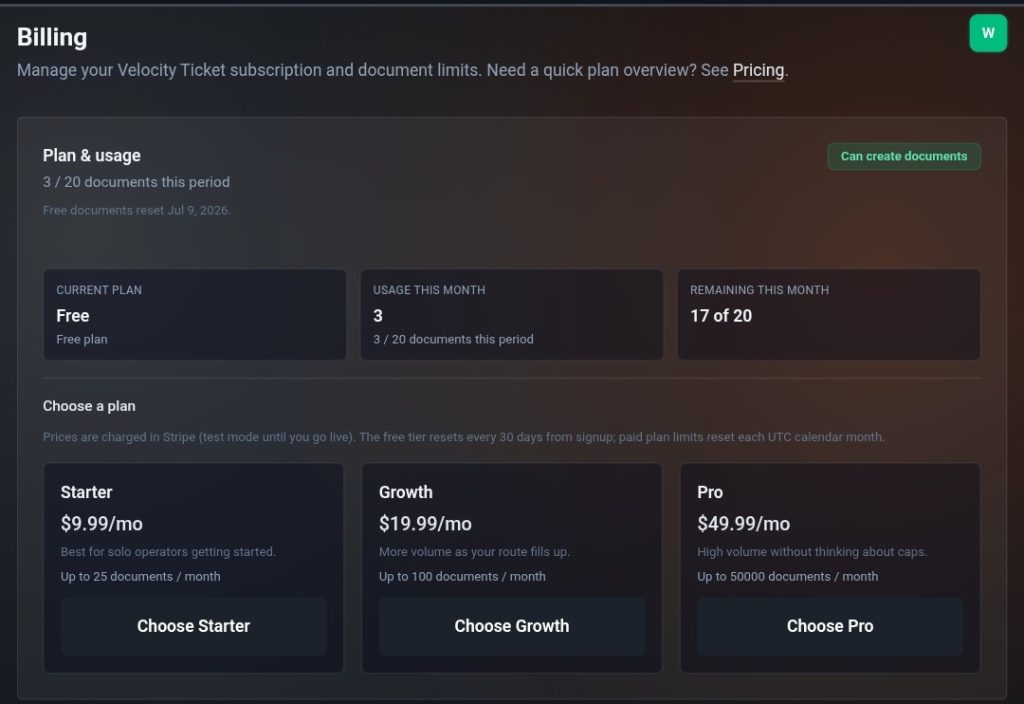
Free accounts get 20 documents every 30 days, with the counter resetting on a date specific to your account rather than a fixed calendar date. For a freelancer or small service business with moderate invoicing volume, 20 documents per month covers a meaningful chunk of real work.
If you need more documents before your reset date arrives, paid plans are available through the Billing section of the platform and unlock continued document creation without waiting for the counter to reset. The pricing structure follows a standard SaaS model, start free, pay when you need more capacity.
For service businesses spending hours every month on invoicing, quoting, and billing paperwork, Velocity Ticket is worth trying for the free tier alone.
The combination of natural-language generation, a clean editing workflow, and a PDF output that looks professionally made rather than cobbled together from a basic template represents a genuine step forward from most of what currently exists in this space.
Disclosure: This is not trading or investment advice. Always do your research before buying any cryptocurrency or investing in any services.
Follow us on Twitter @themerklehash to stay updated with the latest Crypto, NFT, AI, Cybersecurity, and Metaverse news!